|
|
|
|
|
BlueCielo Meridian Enterprise 2012 Developer's Guide | BlueCielo ECM Solutions |
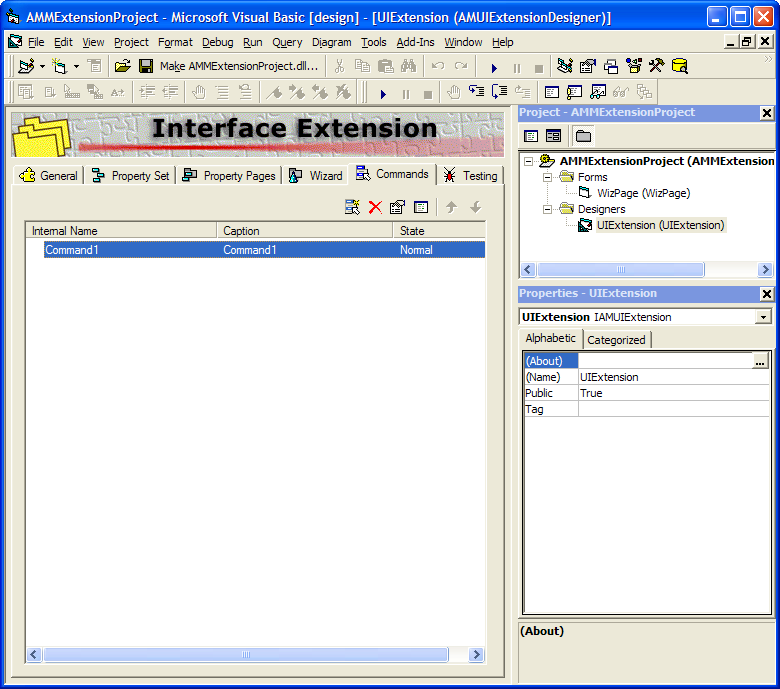
You can add your own custom commands to the Document menu or context menu (right mouse-click). The definition of a custom command determines its name, icon, active state, and functionality. Follow these steps to create a command:
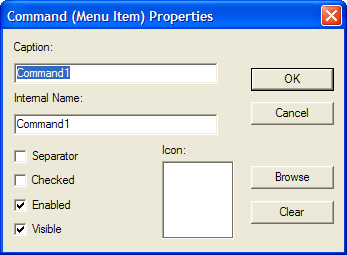
 toolbutton. The Command (Menu Item) Properties dialog appears as shown in the following figure.
| Option | Description |
|---|---|
| Caption |
This text will be displayed in the menu. |
| Internal Name |
The internal name of the command will be used to generate the event that extends the code for the command. |
| Separator |
Inserts a horizontal line in the menu. |
| Checked |
Use this property to set the default state of the command depending on the state of the selected document. |
| Enabled |
Use this property to set the default state of the command depending on the state of the selected document. |
| Visible |
Use this property to set the default state of the command depending on the state of the selected document. |
 toolbutton or double-click the command name to open the command’s OnExecute procedure and add your own code.
Related information
OnExecute method
OnLoadCommand method
|
Copyright © 2000-2012 BlueCielo ECM Solutions |